
-
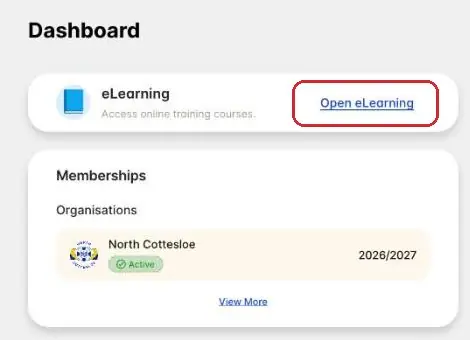
Tap Open eLearning
SLS Hub › DashboardLog in at hub.sls.com.au (opens in a new tab). No account yet, or forgot your login? See Log in to the SLS Hub.
On the Dashboard, tap Open eLearning on the eLearning card.
-
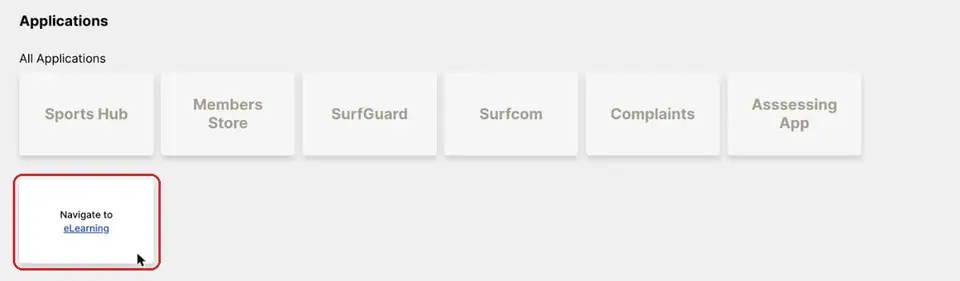
Or use Applications
SLS Hub › ApplicationsYou can also tap Applications at the top, then the eLearning tile.
The tile turns over to say “Navigate to eLearning”. Tap eLearning.
-
Check your state, then log in
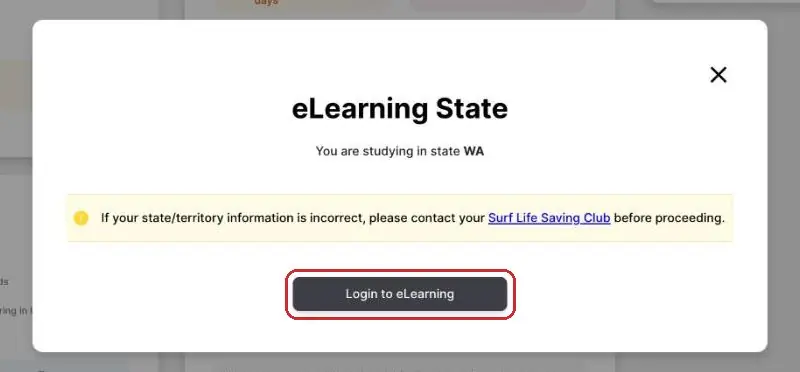
SLS Hub › eLearning StateThe Hub shows the state you're studying in. It should say WA.
If it's wrong, contact the club before you go on: enquiries@ncslsc.com. If it's right, tap Login to eLearning.
-
Open the Training Library
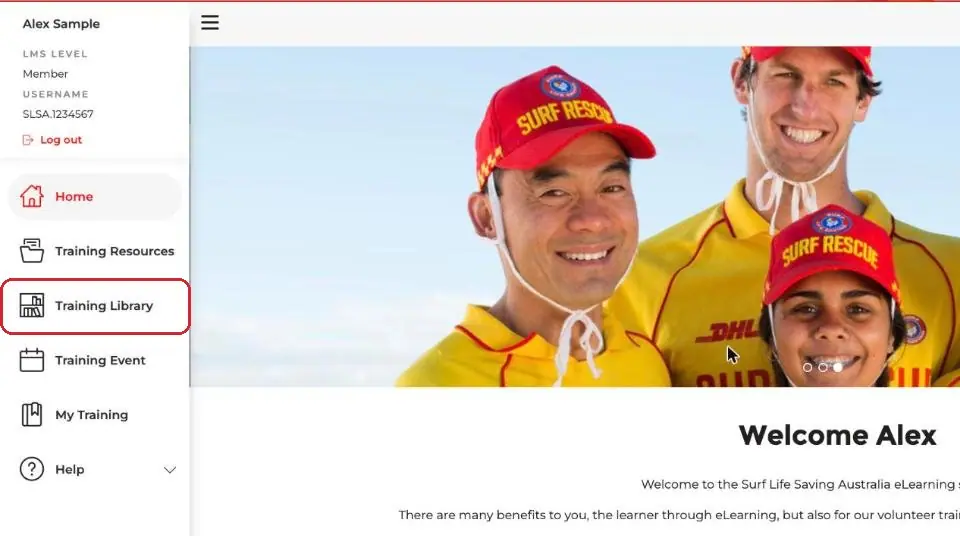
eLearning › Training LibraryeLearning opens on its Welcome page. Tap Training Library in the side menu.
-
Find your award's course
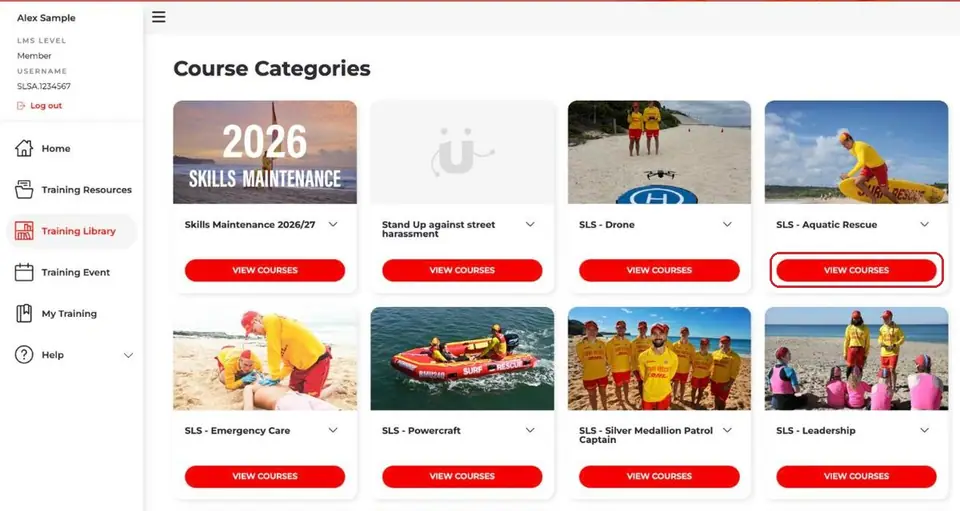
Training Library › Course CategoriesCourses sit in categories. The names change from season to season, so look for the closest match:
- Skills Maintenance 2026/27: this season's SMC theory, one course for each award
- SLS – Aquatic Rescue: Bronze Medallion, Surf Rescue Certificate (SRC) and other patrol courses
- SLS – Emergency Care: resuscitation and pain management courses
- SLS – Silver Medallion Patrol Captain: SMPC
Tap View Courses under the category. For Bronze or SRC, that's SLS – Aquatic Rescue.
-
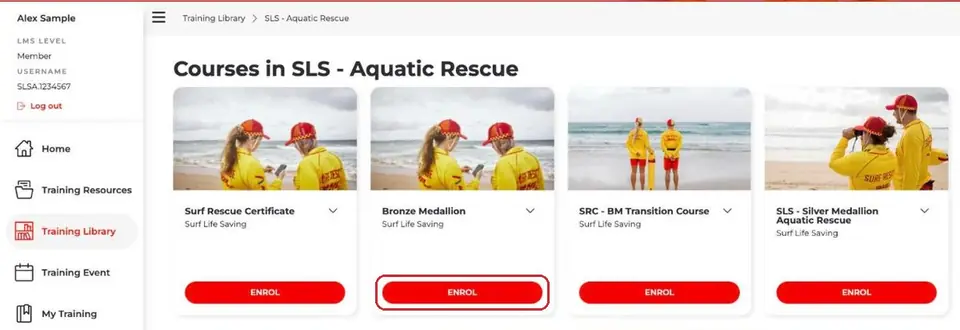
Tap Enrol on your course
Your courseFind your course, for example Bronze Medallion, and tap Enrol. Then work through all the modules.
To go back to a course later, tap My Training in the side menu, then View on the course.
-
Get your certificate
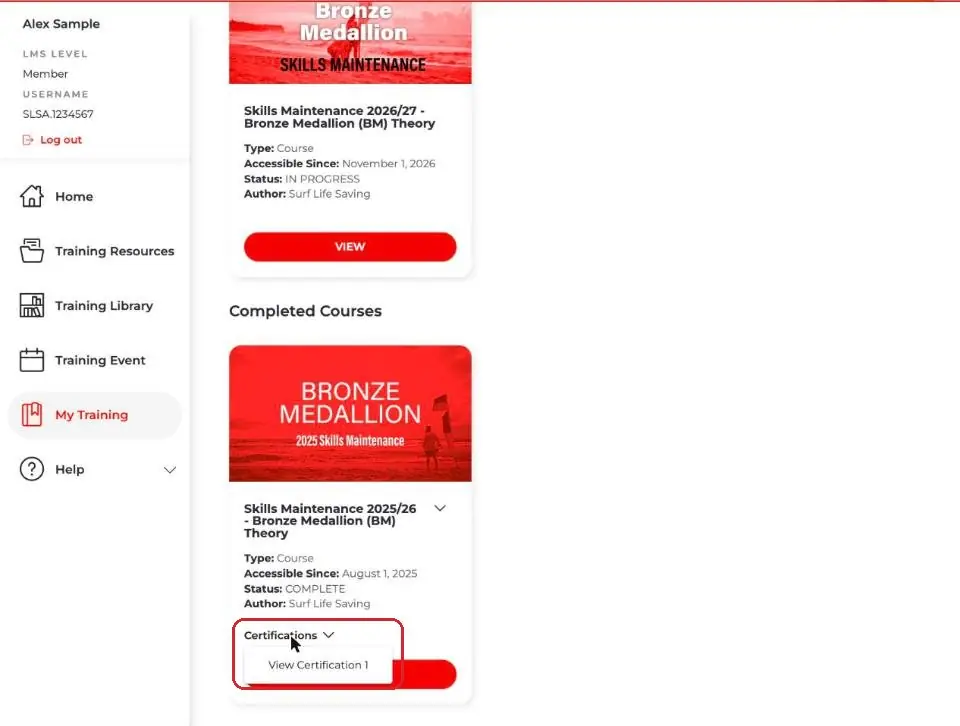
eLearning › My TrainingWhen you finish, the course moves to Completed Courses in My Training. Tap Certifications, then View Certification 1.
Print or email your certificate before your course.
Pictures: screenshots of the SLS Hub (Surf Life Saving Australia), captured by North Cottesloe SLSC; screenshots of SLS eLearning (Surf Life Saving Australia, run on etrainu), captured by North Cottesloe SLSC.