
-
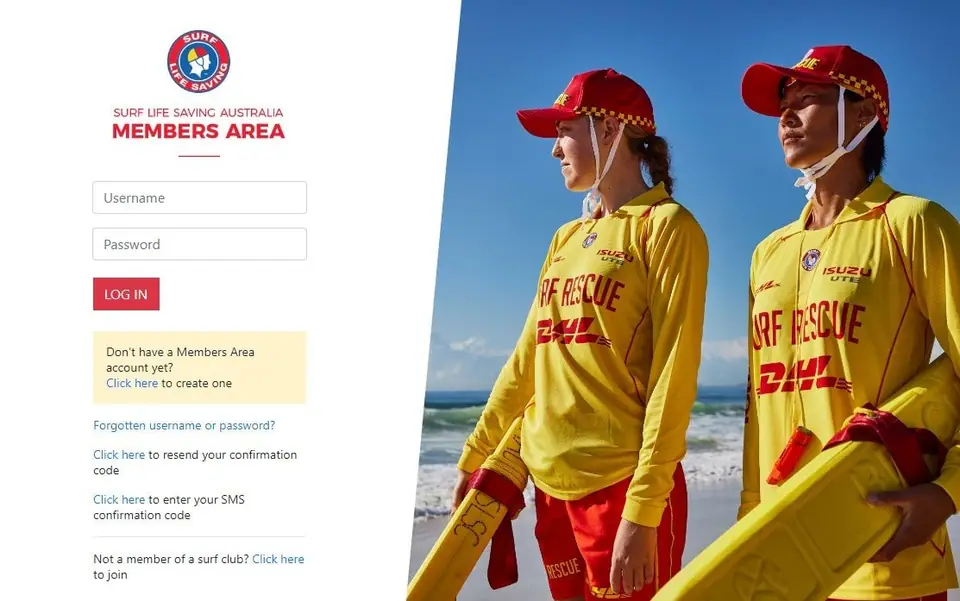
Log in to the SLSA Members Area
SLSA Members AreaYou will access the eLearning portal via the SLSA Members Area (opens in a new tab).
If you don’t already have a Members Area account, create an account (opens in a new tab).
If you want IT support, go to help.sls.com.au (opens in a new tab).
-
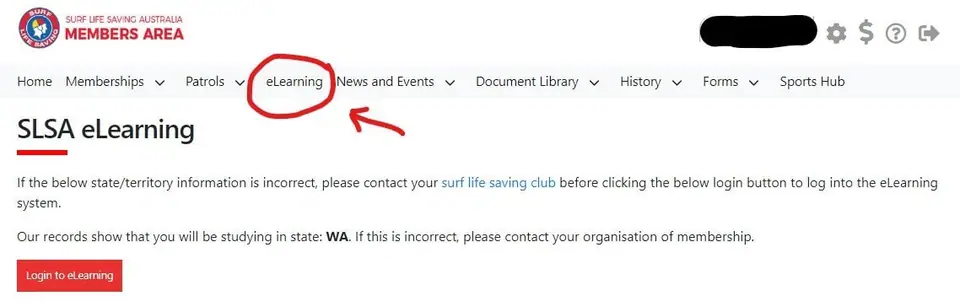
Click on eLearning
Members Area › main menu -
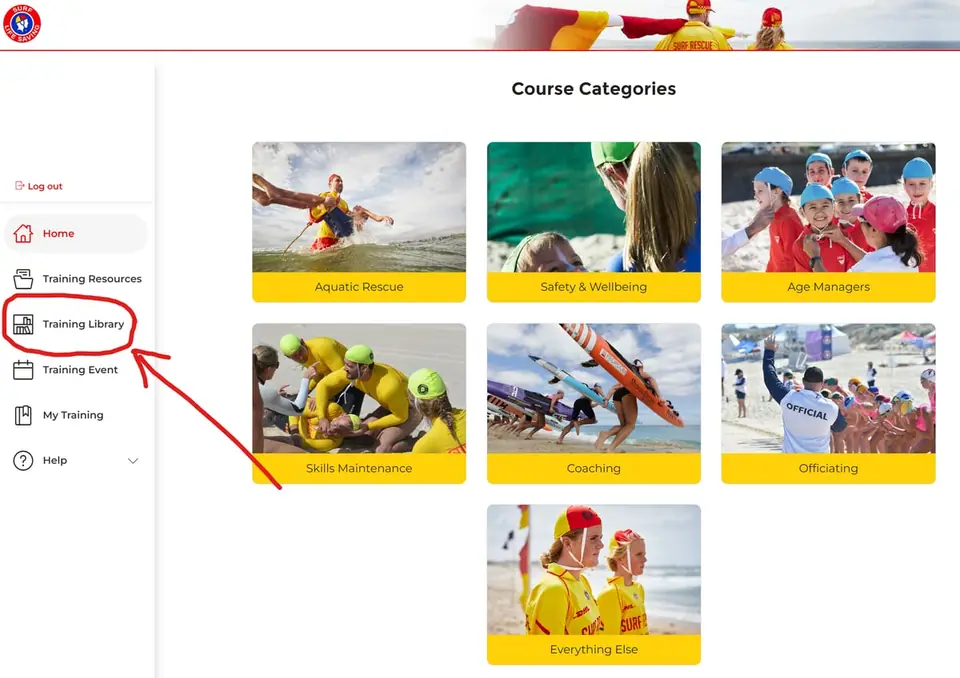
Open the Training Library tab
eLearning › Training LibraryAfter the system logs you into eLearning, you will see the Welcome screen below. Click on “Training Library”, where you can locate your course.
-
Find your course
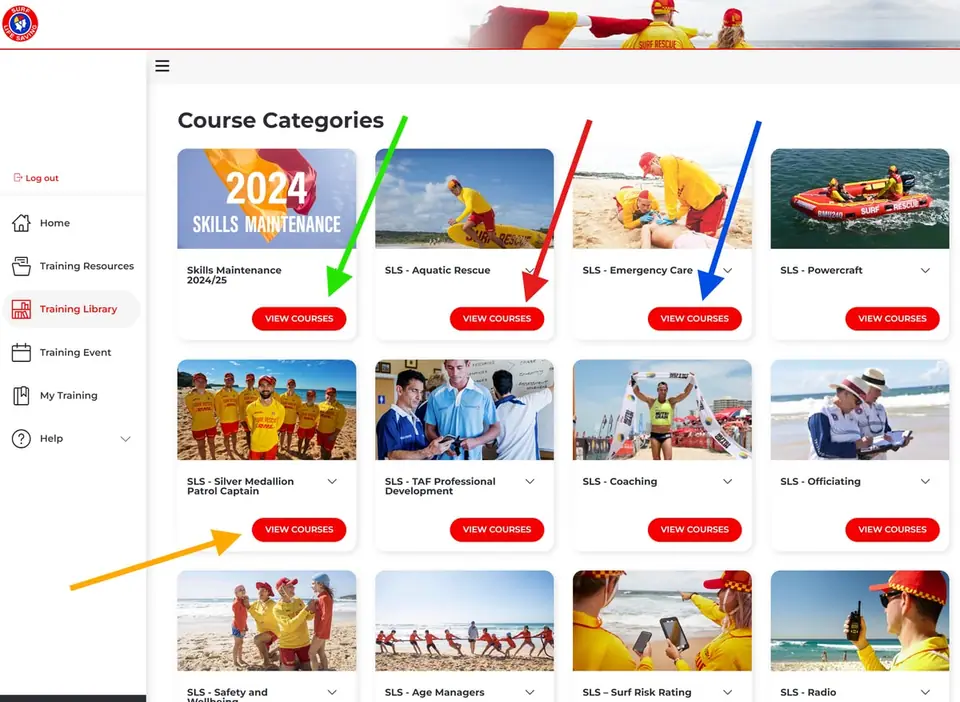
Training Library › course categoriesClick on the correct course category (note these categories change frequently: it’ll be somewhere!):
- Green arrow: Skills Maintenance Checks
- Red arrow: Bronze, SRC, SMPC, SMAR
- Blue arrow: ART
- Yellow arrow: SMPC
-
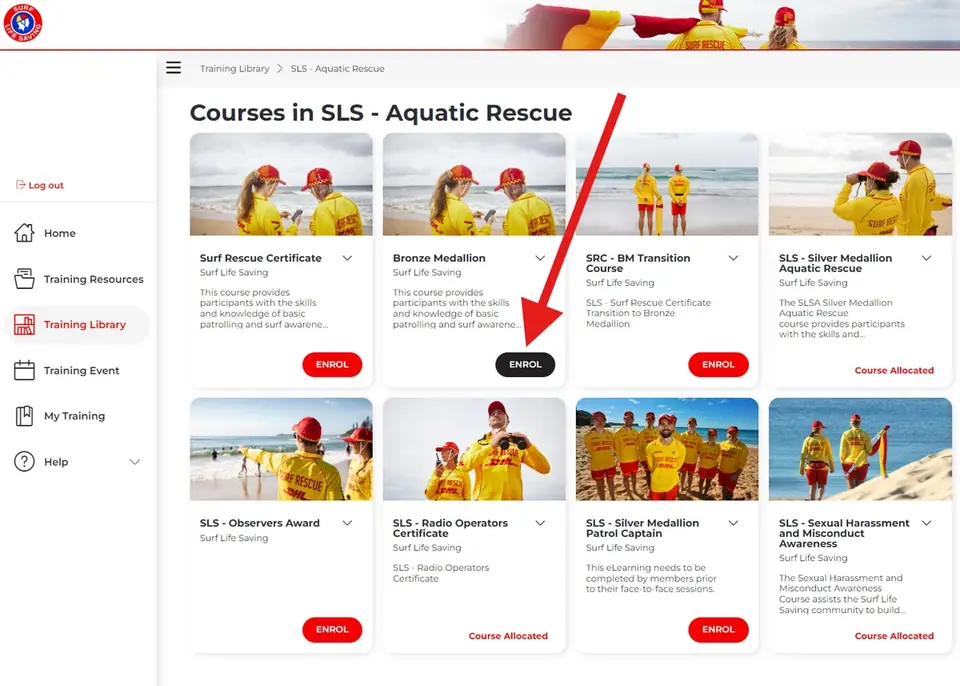
Enrol in your course
Your courseClick Enrol and complete all the modules to receive a completion certificate.
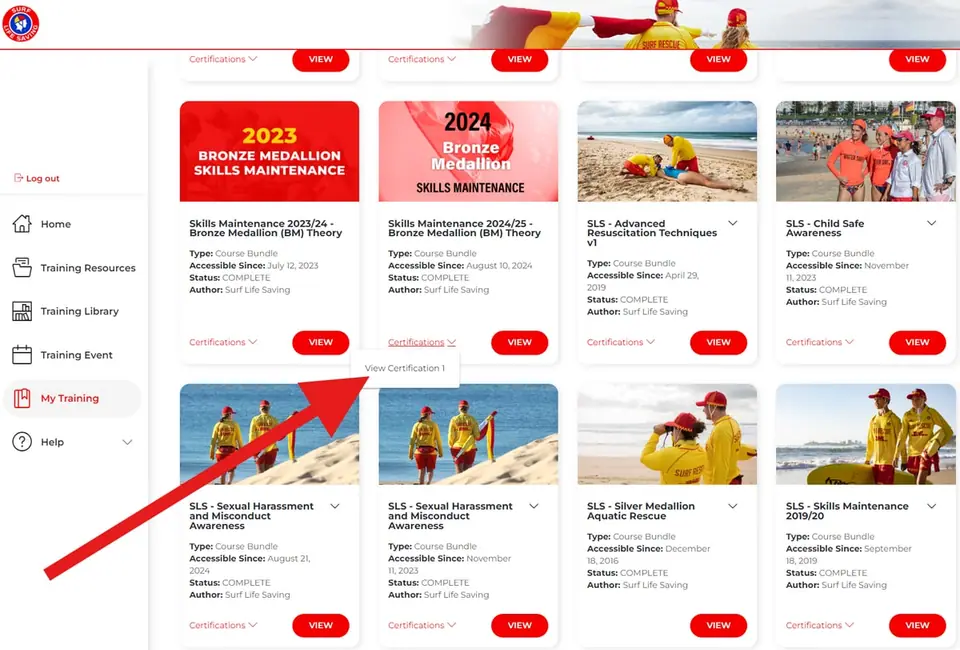
If you need to go back to your course, select ‘My Training’ from the side menu.
Not sure about the correct answer? Please review the related module again. You can also use the SLSA Training Resources tab for more detailed guides. If you’re still not able to answer a quiz question, there’s no need to despair: simply do as much of the other modules as you can and bring your questions to your trainer in person.
-
Complete the course and print or email your certificate
eLearning › My TrainingClick on “My Training” and print or email your certificate prior to the course.
Pictures: screenshots of the SLSA Members Area and eLearning, from ncslsc.com/elearning (North Cottesloe SLSC).