
-
Open your clubs
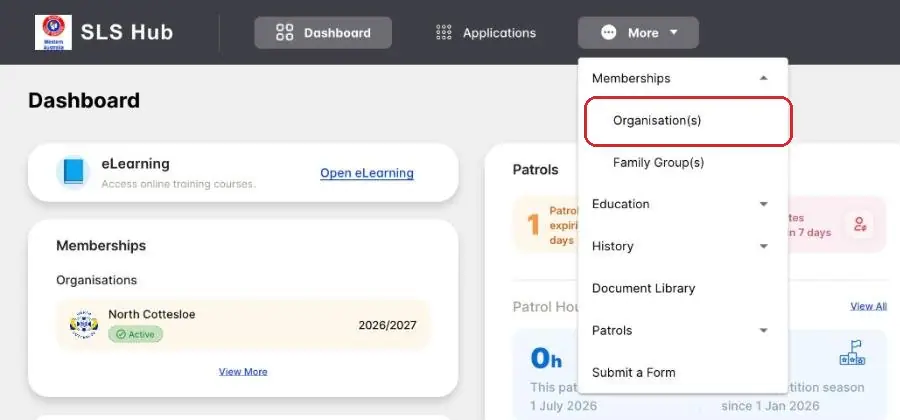
More › Memberships › Organisation(s)Log in at hub.sls.com.au (opens in a new tab). No account yet, or forgot your login? See Log in to the SLS Hub.
Tap More at the top, then Memberships, then Organisation(s).
-
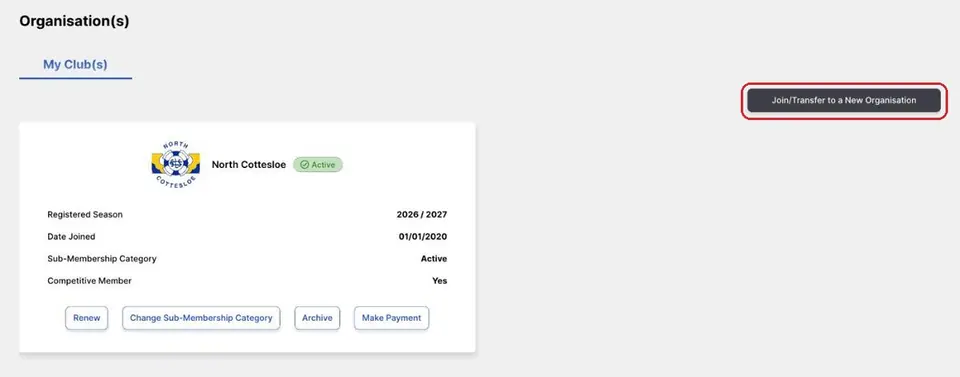
Tap Join/Transfer to a New Organisation
Organisation(s)Your current club is shown on its own card.
Tap Join/Transfer to a New Organisation at the top right. The Request Transfer page opens.
-
Pick North Cottesloe
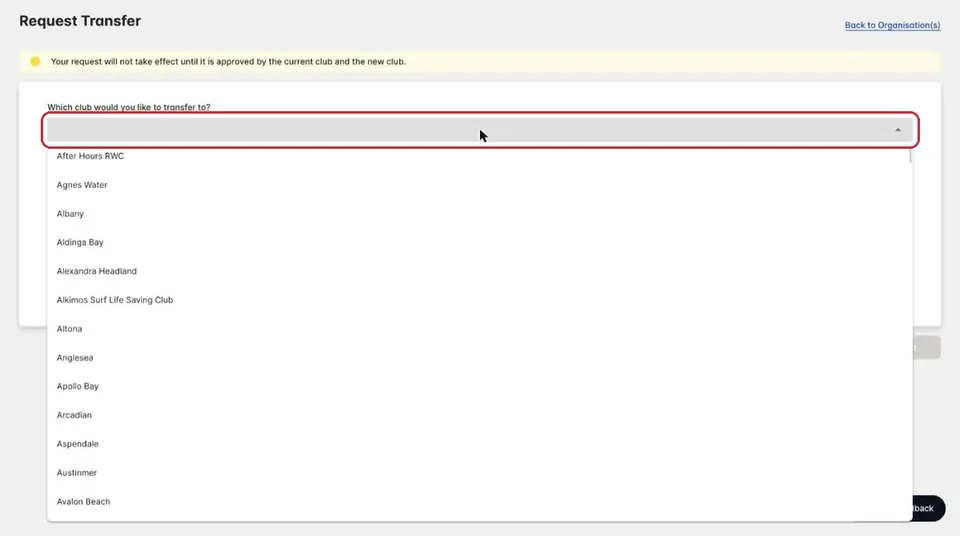
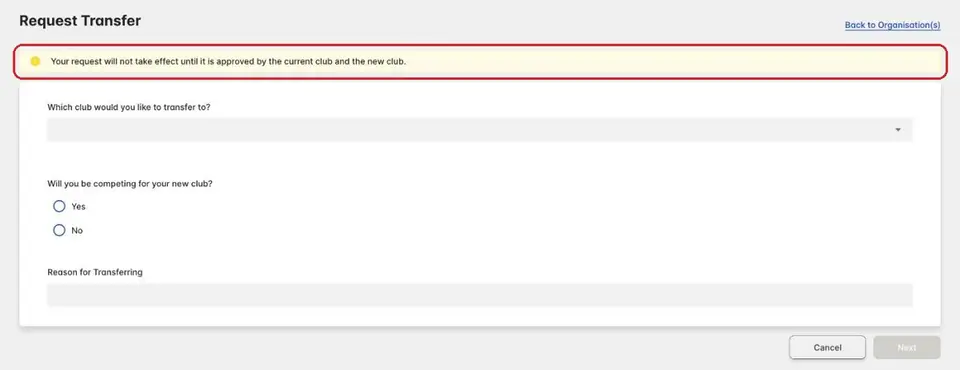
Request TransferTap the box under “Which club would you like to transfer to?”.
The clubs are listed from A to Z. Scroll down and pick North Cottesloe.
-
Answer two questions
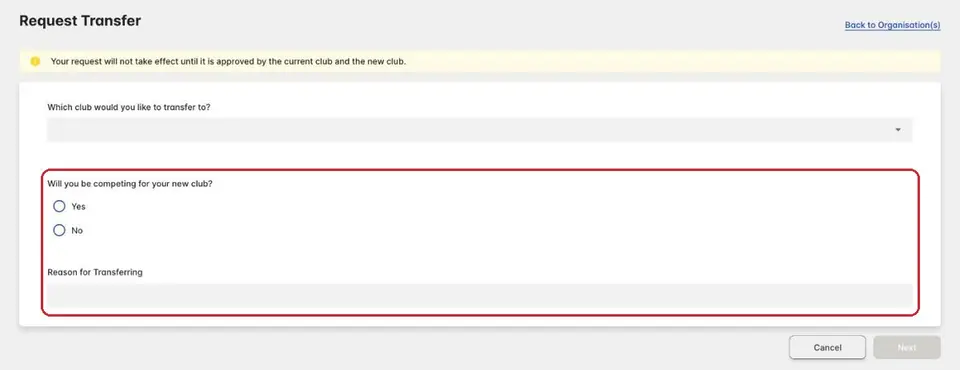
Request TransferWill you be competing for your new club? Tap Yes or No.
Type a short reason for transferring.
-
Tap Next and send your request
Request TransferTap Next and follow the screens to send your request.
Your request won't take effect until both your current club and North Cottesloe approve it.
-
Check how it's going
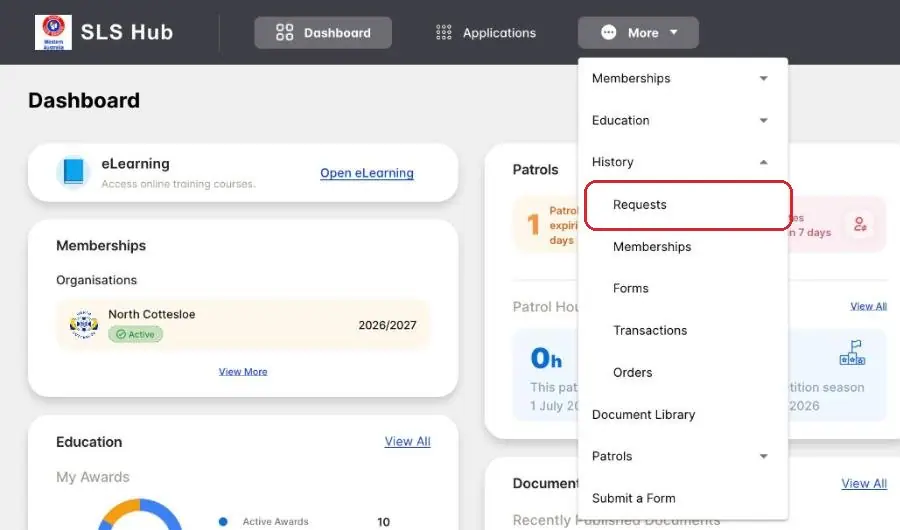
More › History › RequestsTo see where your request is up to, tap More, then History, then Requests.
-
Get started at North Cottesloe
learn.ncslsc.comYour awards come with you.
See Transfer or come back for your next steps at North Cottesloe, like patrols and your SMC.
Pictures: screenshots of the SLS Hub (Surf Life Saving Australia), captured by North Cottesloe SLSC.