-
Open My Awards
SLS Hub › Dashboard › EducationLog in at hub.sls.com.au (opens in a new tab). No account yet, or forgot your login? See Log in to the SLS Hub.
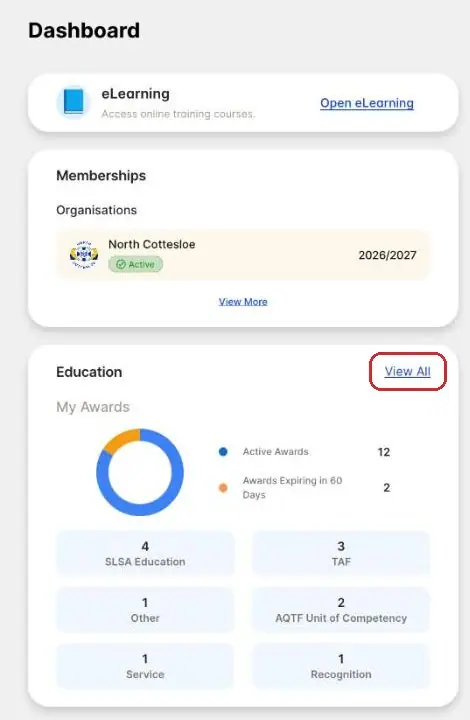
On the Dashboard, find the Education card and tap View All. The card also counts your active awards and any that expire in the next 60 days.
-
Or use the More menu
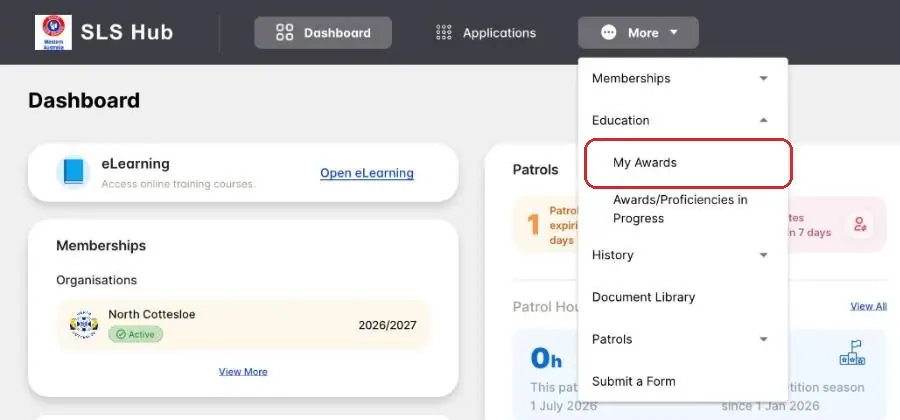
More › Education › My AwardsYou can also tap More at the top, then Education, then My Awards.
-
Read your awards list
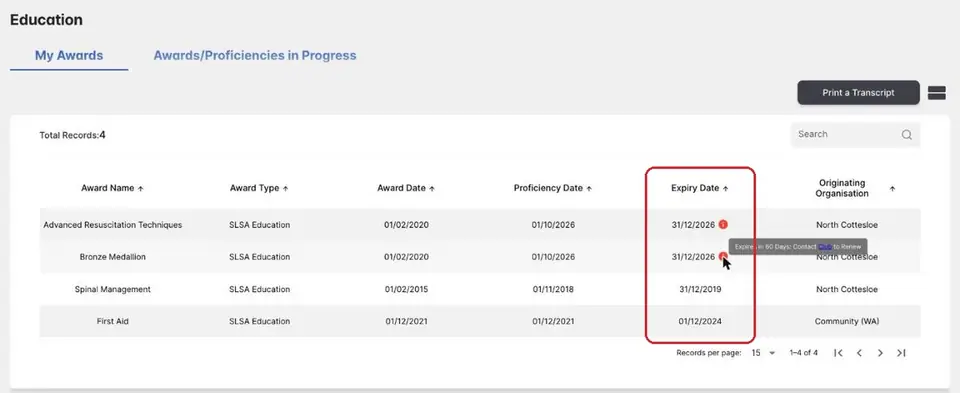
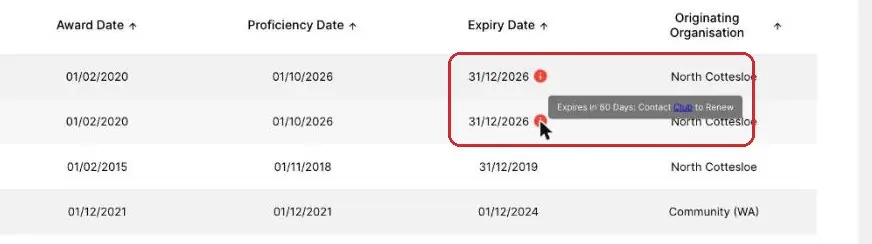
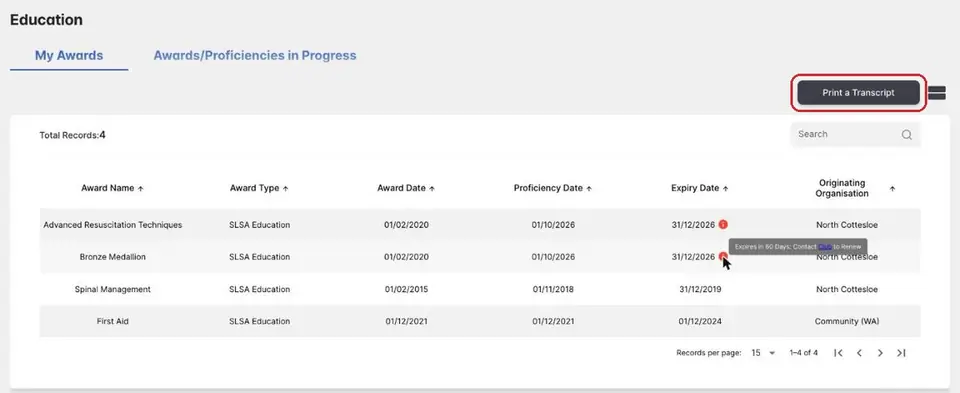
Education › My AwardsEach row is one award. Award Date is when you first got it. Proficiency Date is the last time you were signed off.
Expiry Date is when the award stops being current. Most patrolling awards run out on 31 December each year, so do your SMC before then. First Aid stays current for 3 years.
-
Look for a red i
My Awards › Expiry DateA red i next to an expiry date is a warning. Tap it to read it: “Expires in 60 Days: Contact Club to Renew”.
For most awards, renewing means doing your SMC. See the SMC page.
-
See awards in progress
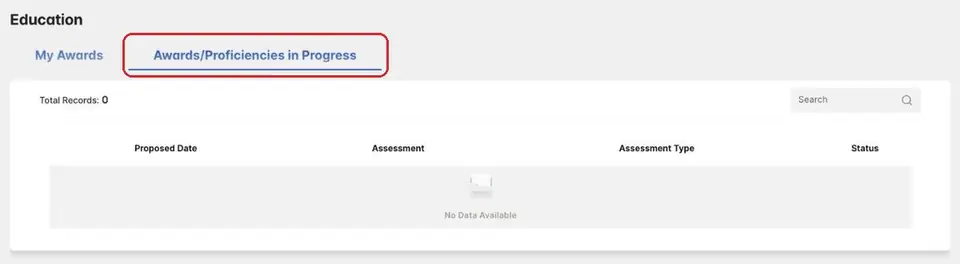
Education › Awards/Proficiencies in ProgressTap the Awards/Proficiencies in Progress tab. It lists assessments that are still under way, with the proposed date, the assessment and its status.
It says No Data Available if you have none.
-
Print a transcript
Education › My AwardsNeed a copy of all your awards? On My Awards, tap Print a Transcript at the top right.
-
Something wrong or missing?
Club officeIf an award or date looks wrong, email enquiries@ncslsc.com with the award's name.
Pictures: screenshots of the SLS Hub (Surf Life Saving Australia), captured by North Cottesloe SLSC.