
-
Open your memberships
SLS Hub › DashboardLog in at hub.sls.com.au (opens in a new tab). No account yet, or forgot your login? See Log in to the SLS Hub.
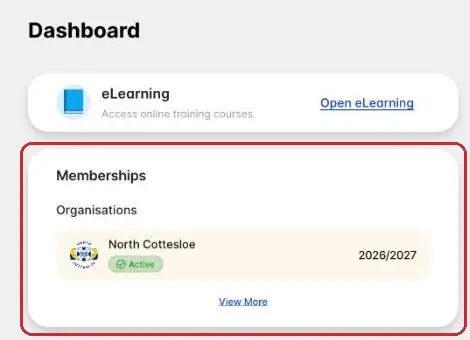
On the Dashboard, find the Memberships card and tap View More. Renewals are due 1 November each year.
-
Or use the More menu
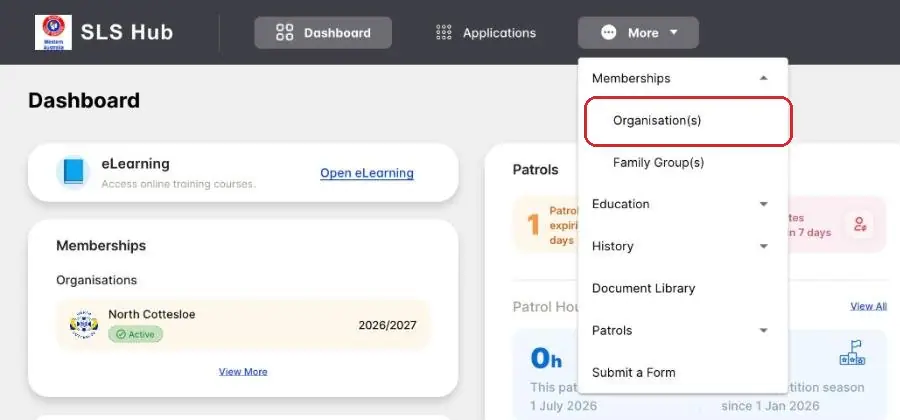
More › Memberships › Organisation(s)You can also tap More at the top of any page, then Memberships, then Organisation(s).
Both ways open the same page.
-
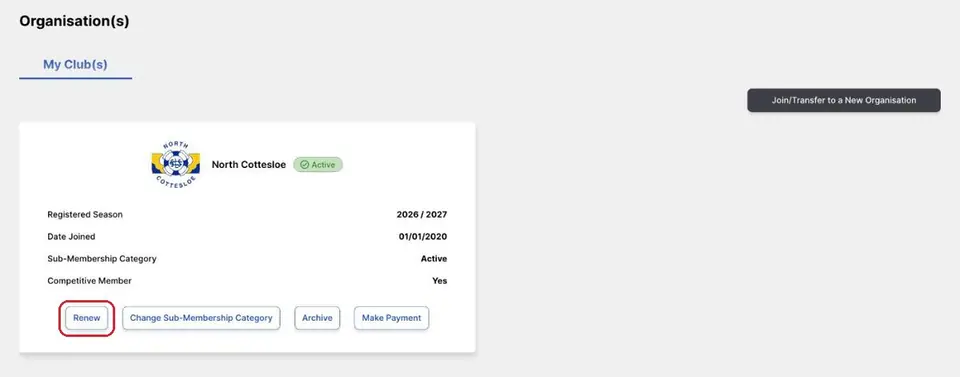
Tap Renew
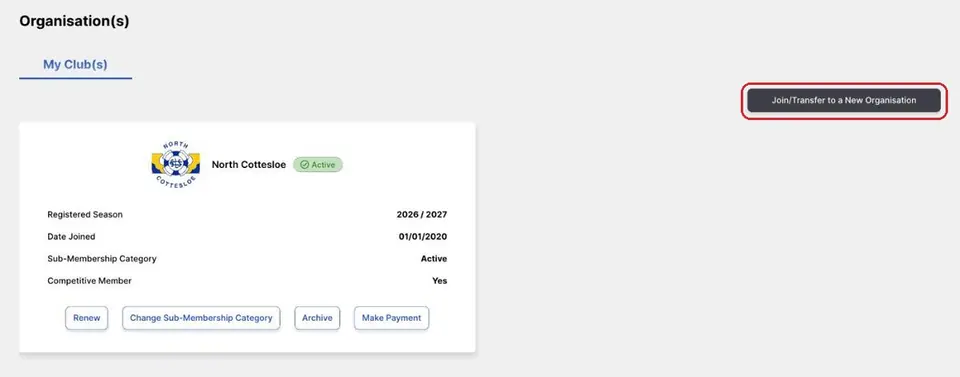
Organisation(s) › My Club(s)Your club card shows North Cottesloe, the season you're registered for and your Sub-Membership Category.
Already a North Cottesloe member? Tap Renew on the club card and follow the screens.
-
Check your membership category
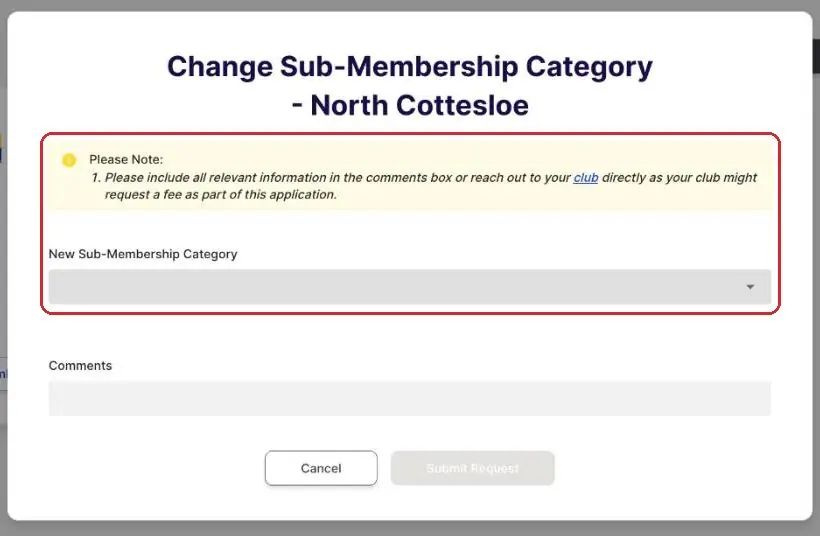
Club card › Change Sub-Membership CategoryCheck the Sub-Membership Category on your club card is right for you. Need a different one? Tap Change Sub-Membership Category, pick the new category and add a comment.
Your club might ask for a fee for the change. Not sure which category fits? Email enquiries@ncslsc.com before you send it.
-
New to North Cottesloe?
Organisation(s)Not a North Cottesloe member yet? Tap Join/Transfer to a New Organisation at the top right and choose North Cottesloe.
Coming from another surf club? Follow Transfer from another club instead.
-
Pay the fee
SLS HubThe Hub shows the current fee before you pay. Check it, then pay to finish.
When it's done, your club card shows the new season. Questions about fees? Email enquiries@ncslsc.com.
Pictures: screenshots of the SLS Hub (Surf Life Saving Australia), captured by North Cottesloe SLSC.