
Guides › ALL AWARDS
GUIDEALL AWARDSMember or parentHow-toSign up

Register for a Bronze or SRC course

You'll need: the participant's details, an emergency contact, and a card to pay. About 10 minutes.

  1. Start on the award page

    learn.ncslsc.com › Bronze or SRC

    Open the Bronze or SRC page and check the age, cost and dates.

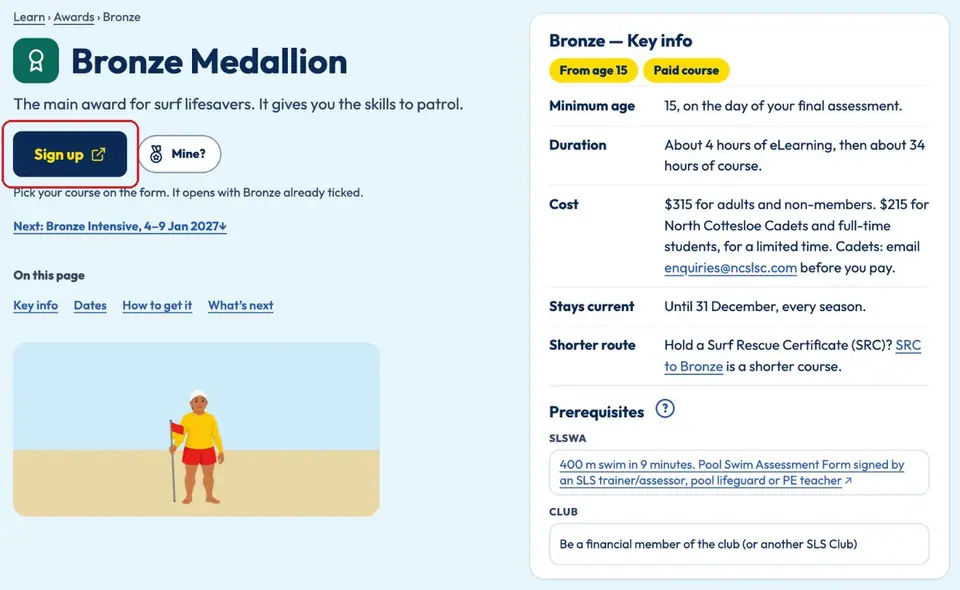
    Tap Sign up. The club form opens with your award already ticked.

    The Bronze Medallion page on learn.ncslsc.com. The yellow-on-navy “Sign up” button is circled in red. On the right, the Key info card shows minimum age, duration and cost.
  2. Fill in the participant's details

    Club form › page 1

    Enter the name of the person doing the course (not the parent), their date of birth, email and mobile.

    Parents: use your own email if your child doesn't have one.
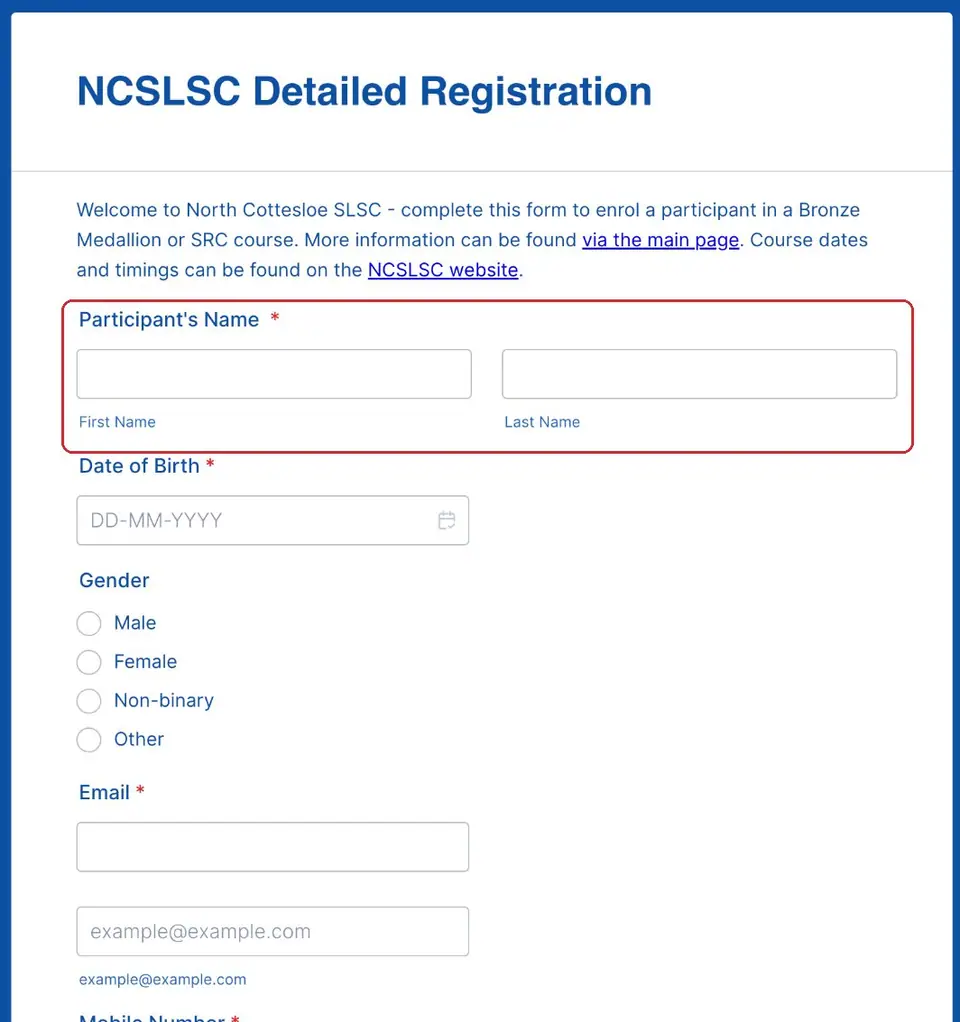
    Page 1 of the “NCSLSC Detailed Registration” form. The empty Participant's Name boxes (first and last name) are circled in red. Below are Date of Birth, Gender and Email.
  3. Check the award and answer two questions

    Club form › page 1

    Check the right award is ticked: Bronze is 15 and over on the final assessment day, SRC is 13 to 14.

    Say whether the participant is a North Cottesloe member (or wants to join) and whether they have an SLS account. Then tap Next.
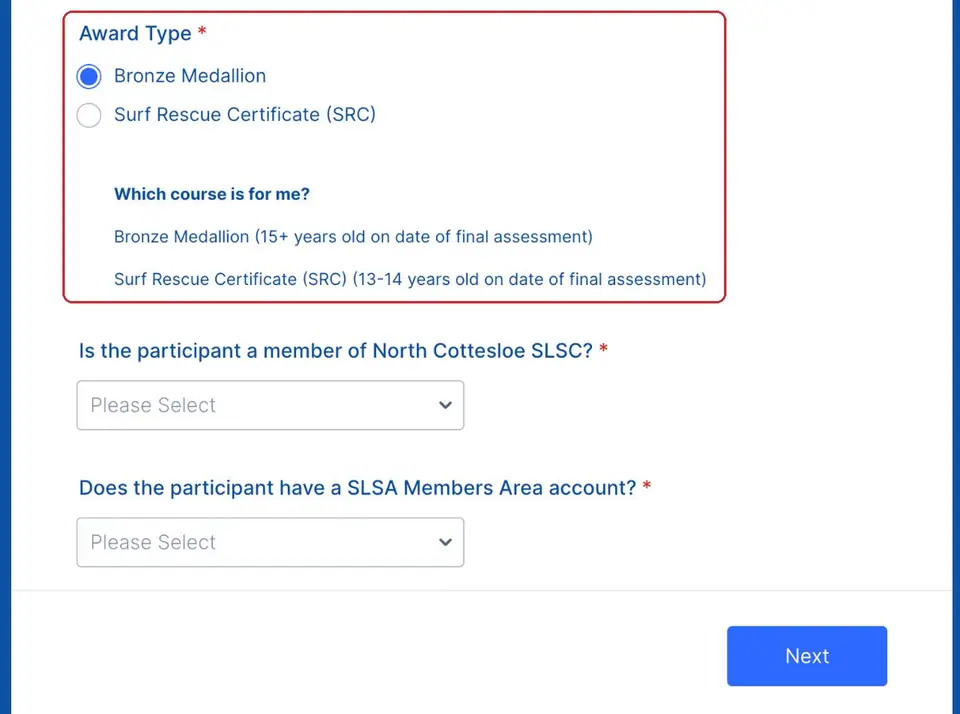
    The Award Type question with Bronze Medallion ticked and SRC unticked, plus the “Which course is for me?” age guide, circled in red. Below are two Please Select questions about club membership and an SLSA account, and the Next button.
  4. Add an emergency contact and health notes

    Club form › page 2

    Add an emergency contact or parent and their phone number. If the participant is under 18, a parent or guardian also answers the under-18 questions and signs.

    List any allergies, medical conditions or medicines (like an EpiPen) so the Head Trainer knows. Then tap Next.
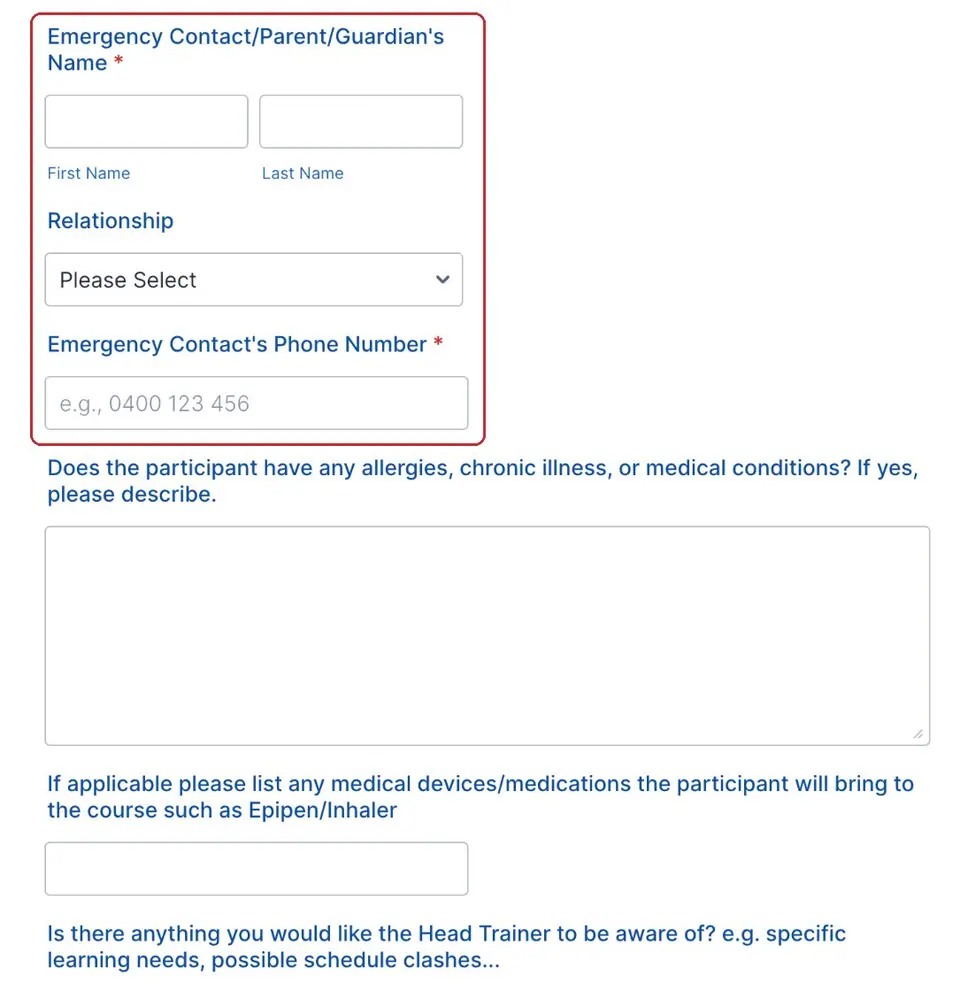
    Page 2 of the form. The empty Emergency Contact/Parent/Guardian's Name, Relationship and Emergency Contact's Phone Number fields are circled in red. Below are boxes for medical conditions and medicines.
  5. Pick your course

    Club form › page 3

    Choose one course from the list. Don't pick one marked COURSE FULL.

    Can't make any of them? Email enquiries@ncslsc.com and we'll let you know about the next one.
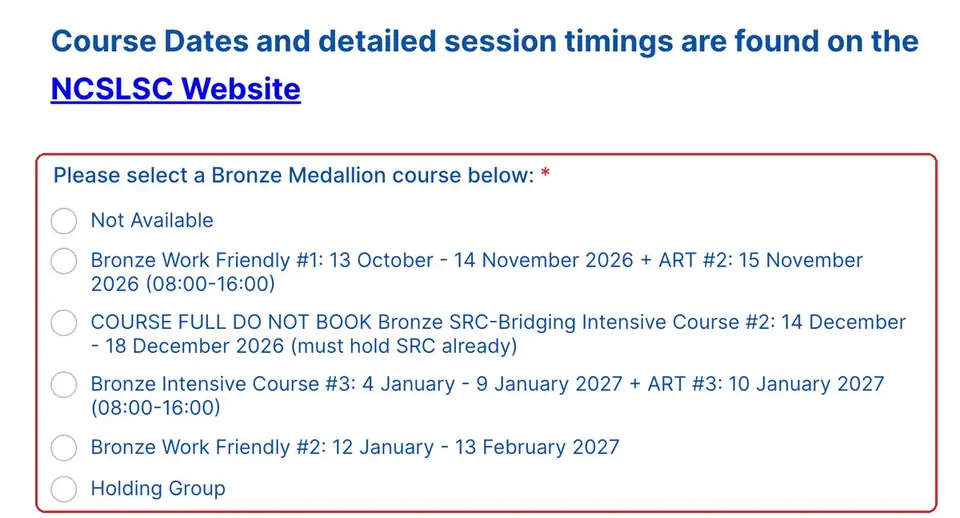
    The “Please select a Bronze Medallion course below” list, circled in red, showing this season's course options with their dates. One is marked COURSE FULL DO NOT BOOK.
  6. Check the price and pay

    Club form › page 3

    Tick your course in the payment section. The form shows the current price.

    Cadets: email enquiries@ncslsc.com before you pay. Read the cancellation rules at the bottom of the form, then pay by card and tap Submit.
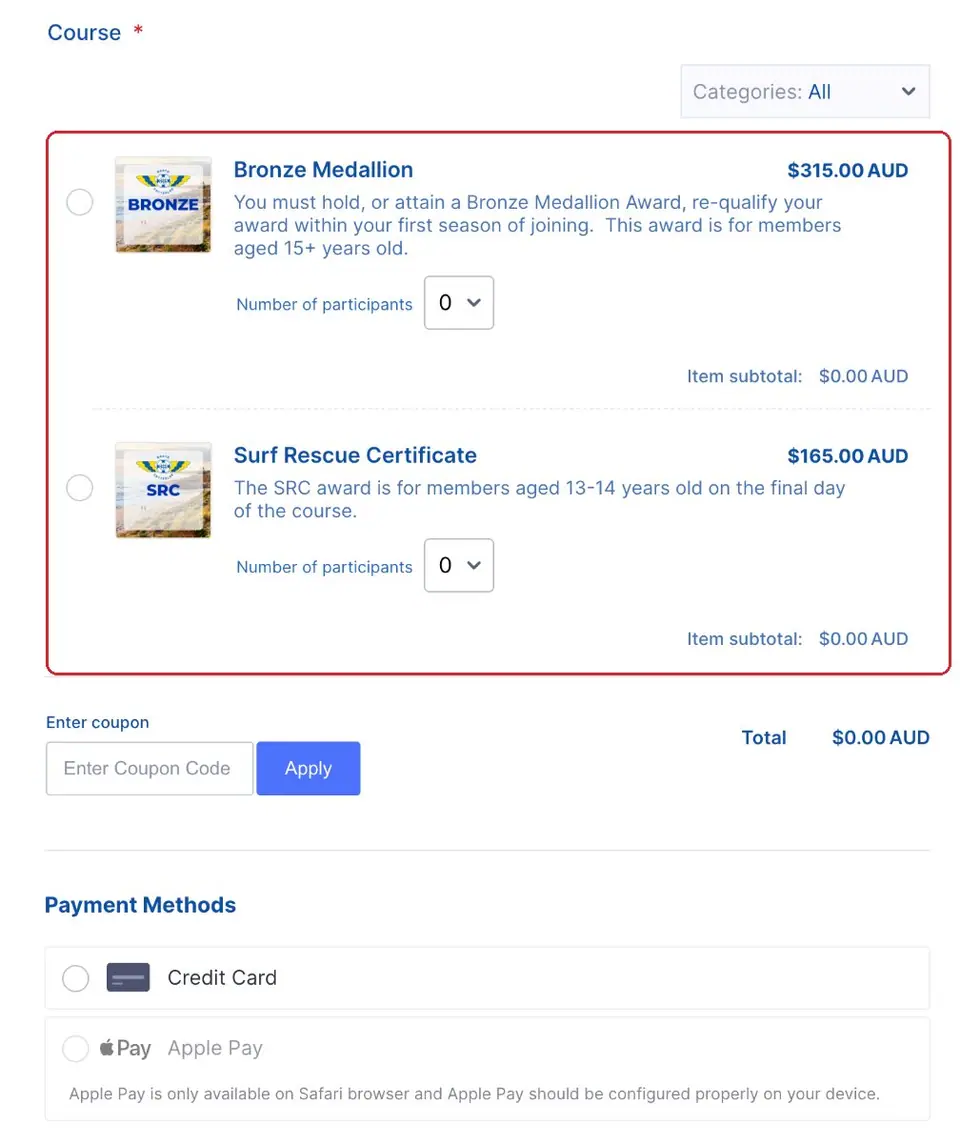
    The payment section. The Bronze Medallion and Surf Rescue Certificate items with their prices are circled in red. Below are a coupon box, the total and the payment method choices (no card details shown).
  7. Join the club in the SLS Hub

    SLS Hub

    The course fee doesn't include membership. Join North Cottesloe in the SLS Hub so you're a financial member before day 1.

    New to the SLS Hub? Log in or make an account first.
Pictures: screenshot of learn.ncslsc.com (North Cottesloe SLSC); screenshots of the club's Jotform registration forms, captured by North Cottesloe SLSC.